
CBZ and CBR comic cover thumbnails in Windows Explorer
A comic archive is a ZIP, RAR, 7z or TAR file full of pages. SageThumbs 2K finds the front cover inside and shows it as the file's thumbnail in File Explorer.
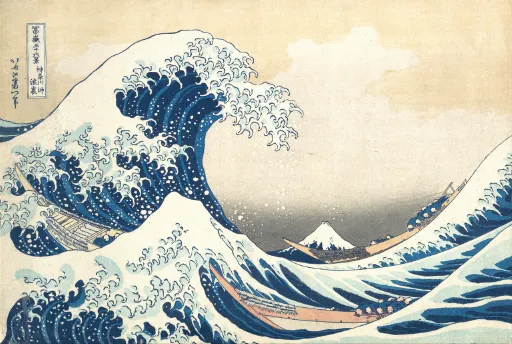
What you see
- Pages are sorted the way people number them, page 2 before page 10. The front cover is preferred, back and variant covers go last, and junk such as __MACOSX folders and Thumbs.db is skipped.
- CBR files are opened with a pure-Rust RAR reader, so nothing from WinRAR or UnRAR is needed.
- A very large comic is never loaded whole. For a CBR, SageThumbs walks the entry headers and reads only the cover.
Limits
- In OneDrive and other synced folders, files stored on the PC get thumbnails as anywhere else. Online-only files are left to the cloud app, since nothing is downloaded just to draw a thumbnail.
More you can do
- Right-click a set of images and choose Combine into CBZ to make a comic: pages are sorted by name and a ComicInfo.xml is added, so Kavita, Komga and YACReader read its details.
- Plain .zip, .rar and .7z archives get thumbnails too: by default a collage of up to four images from inside, or a single cover.
Extensions this covers
.cbz .cbr .cb7 .cbt .phz
See every format SageThumbs 2K supports or browse all format guides.
Get SageThumbs 2K
Install it with winget:
winget install LunarWerxs.SageThumbs2KOr download the installer from GitHub and run it.
Windows 11 and 10, 64-bit, on x64 and Arm. The same page has a portable zip that needs no installing.
Free for personal use
Home, hobby and other non-commercial use is free: every format and every tool. A company, a shop or anyone doing paid work needs a business licence for each PC.
A business licence is US$49 per PC once, with 12 months of updates, or US$2.99 per PC a month. See business licence pricing
Thumbnails not showing?
- Windows caches thumbnails, and a file it failed on once stays failed. In SageThumbs, Settings ▸ Advanced ▸ Rebuild thumbnail cache clears the cache and restarts Explorer.
- Make sure File Explorer's "Always show icons, never thumbnails" option is off, and that the format is ticked in SageThumbs Settings ▸ File types.
- Run
st2k doctorin a terminal. It only reads, checks the whole chain, and prints a fix under anything that is wrong.